
Chrome extension
Chrome site blocker
This is how to block websites in Chrome without a lock. Add a domain, and the next visit pauses so you can continue or go back.
A block that still leaves the choice
A typical hard blocker removes the choice. The person who set the rule is the person who can turn it off. A pause is a different job: the site waits until you decide. Read why a hard lock gets switched off, or compare a hard lock vs pause.
Distractless runs in desktop Google Chrome. You pick the domains. Nothing else on the computer has to change.
How to block a website in Chrome
-
01
Install
Add Distractless from the Chrome Web Store. It stays in this browser profile.
-
02
Add
Open the extension popup and add the domain. Settings edits the same list.
-
03
Pause
The next visit stops on a calm screen. Continue, or go back.
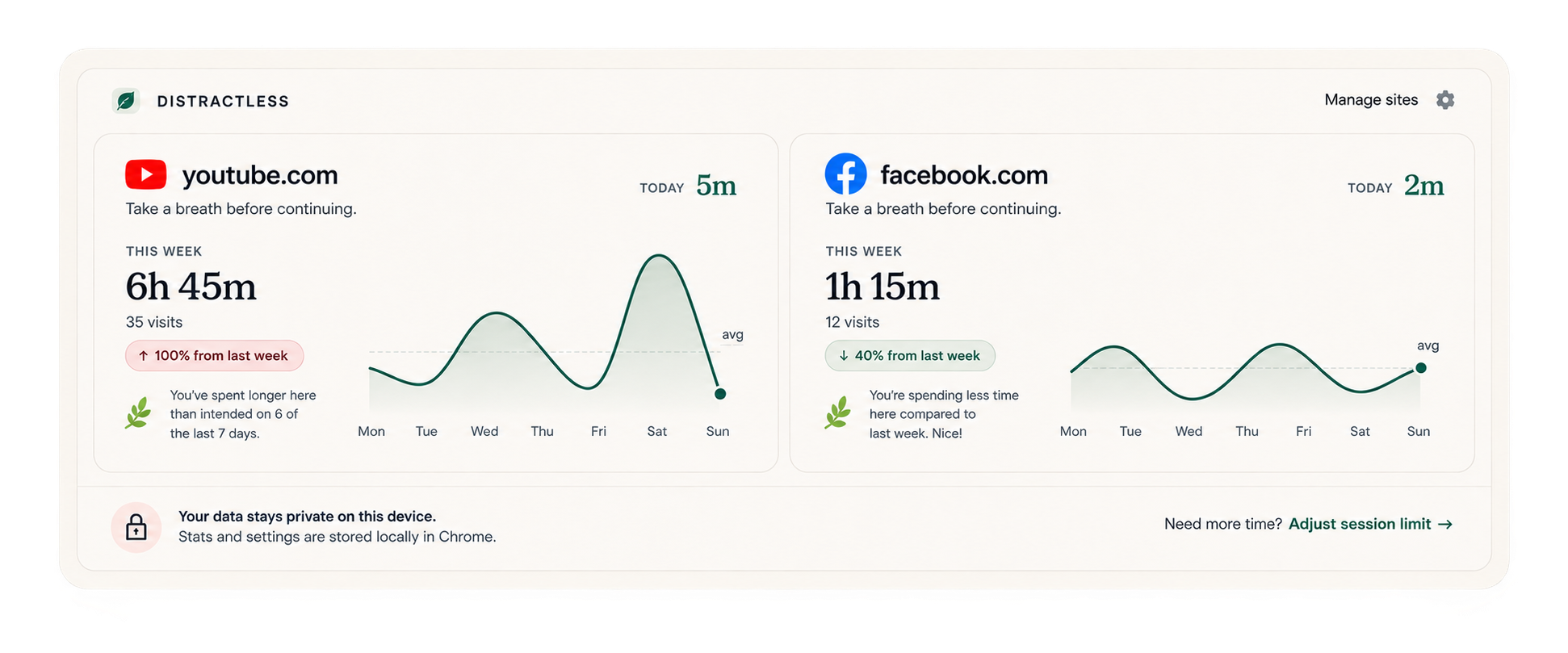
What you actually get
-
Block list
Any domain you add. Remove it from the popup when you want.
-
Pause
A moment before the site opens. Continue, or go back.
-
Session limit
If you stay, pick how long you mean to stay.
-
Weekly reflection
A simple week, so the habit is not only a feeling.
Common questions
How do I add a site in Chrome?
Open the Distractless popup and add the domain. The next visit to that domain shows the pause. Settings edits the same list.
Does it work in Incognito?
Not until you allow it. On chrome://extensions, open Distractless and turn on Allow in Incognito. The block list is the same one.
Does it work in another Chrome profile?
Each Chrome profile is separate. Install Distractless in the profile where you want the pause. A profile where it is not installed is not paused.
Why isn’t this a hard block?
A hard blocker removes the choice. Distractless shows a pause first, so you can continue or go back.
How much does Distractless cost?
New installs include a 14-day free trial. After that, a one-time $9.99 USD lifetime unlock keeps pause and block features active on that Chrome install. There is no monthly subscription.
Block a site, then decide
Install in Chrome, add the domain, and meet the pause on the next visit.